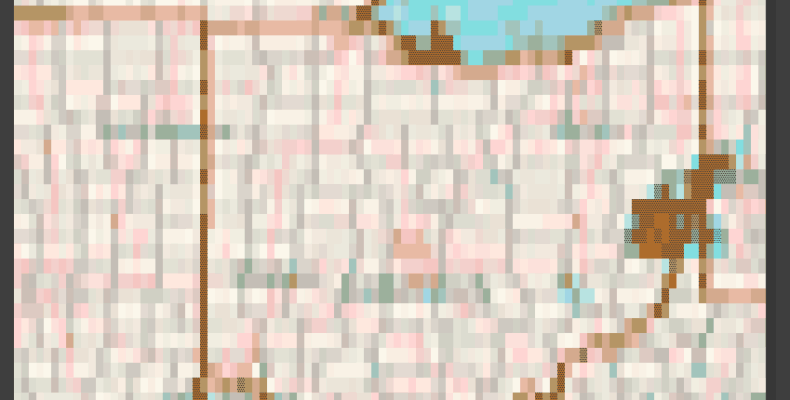
Animated weather radar to ASCII for Linux terminal viewing script will download a static or animated radar image and convert to ASCII art for display in a terminal. If you want to display an animated weather radar in the terminal this should do it. For a full featured terminal weather app, see Biyori.
Features
- Automatic refresh of radar image. You can also just download one.
- Continuous looping of animated GIFs.
- Could be used for other images, not just radar.
- Image adjustments.
Terminal support
I have only tested this in Tabby. I see no reason for it to not work in others.
Code
Create a virtual environment, install listed libraries under requirements, an save this code to the virtual and run in activated virtual. You will need to supply the URL to the image or radar you wish to display.
Thanks to the author of this project to get me on the right path to displaying in the terminal properly.
#!/usr/bin/env python3
from PIL import Image, ImageSequence, ImageEnhance
from blessed import Terminal
from colorama import init
import requests
import os
import sys
import time
import getpass
import threading

'''
Thanks to this guy for getting the terminal animation output right. I was close, but this nailed it.
https://levelup.gitconnected.com/build-an-ascii-image-and-video-renderer-with-python-c977070d45e7

Select your radar image url. Ohio is currently set from NWS. You may need to tweak for your image.

All settings start at line 172.

Requirements:

pillow
blessed
colorama
requests

Radar in the Linux terminal. Ctrl + C to exit the radar.
C. Nichols, July 2025

No license or restrictions, but credit and link back always welcome.

Enjoy!
'''

term = Terminal()
init()

def get_terminal_size():
    return os.get_terminal_size()

def pix_to_code(i, img, image_size):
    x = i % image_size[0]
    y = i // image_size[0]
    code = img.getpixel((x, y))
    return f"\033[38;2;{code[0]};{code[1]};{code[2]}m"

def print_img(image, is_colored, image_size, charset, sharpen_val=0.0, enhance_val=0.0, brightness_val=0.0):

    img = image.resize(image_size, Image.Resampling.LANCZOS)
    conv_img = img.convert('L')
    img = img.quantize(colors=32).convert('RGB')

    # Sharpen frames.
    if sharpen_val > 0.0:
        sharpen = ImageEnhance.Sharpness(img)
        img = sharpen.enhance(sharpen_val)

    # Up the brightness.
    if brightness_val > 0.0:
        brightness = ImageEnhance.Brightness(img)
        img = brightness.enhance(brightness_val)

    # Enhance color
    if enhance_val > 0.0:
        color_enhancer = ImageEnhance.Color(img)
        img = color_enhancer.enhance(enhance_val)

    pixels = list(conv_img.getdata())

    output_string = ""
    last_color = None

    for i, pixel in enumerate(pixels):
        if i % image_size[0] == 0 and i != 0:
            output_string += "\n"

        ind = int(pixel / 255 * (len(charset) - 1))
        char = charset[ind]

        if is_colored:

            color = pix_to_code(i, img, image_size)

            if color != last_color:
                output_string += "\033[0;39m" + color + char
                last_color = color
            else:
                output_string += char
        else:
            output_string += char

    with term.hidden_cursor():
        sys.stdout.write(term.home + output_string)
        sys.stdout.flush()

def open_image(file):
    try:
        return Image.open(file)
    except Exception as e:
        print(f"Error: Unable to open image file {file}. {e}")
        return None

def start_image_update(name=None, args = []):
    # Start a thread to update radar from web.
    #fetch_image(args[0], args[1], freq_in_minutes=args[2]) # get init. image
    dl_thread = threading.Thread(target=fetch_image, name=name, args=args)
    dl_thread.daemon = True
    dl_thread.start()
    #dl_thread.join()

def fetch_image(url, image_path, freq_in_minutes=15):
    try:
        # Ohio: https://www.weather.gov/images/iln/ilnbrf/...
        img_data = requests.get(url).content
        with open(image_path, 'wb') as handler:
            handler.write(img_data)
    except Exception as e:
        print(f"Error: Unable to download image file from {url}.\n{e}")

    time.sleep(freq_in_minutes * 60)

def animated_gif(image, imgs=[], swap_white=True):
    for frame in ImageSequence.Iterator(image):

        width, height = frame.size

        # Crop radar to remove legends, title, and center.
        # May not work for all radar images...
        left_crop   = width/4
        top_crop    = height/4
        width_crop  = 3 * width/4
        height_crop = 3 * height/4

        cropped_frame = frame.crop((left_crop, top_crop, width_crop, height_crop))

        # Flip white pixels to black.
        if swap_white:
            cropped_frame = white_to_black(cropped_frame)

        imgs.append(cropped_frame)

    return imgs

def white_to_black(image):

    image = image.convert("RGB")

    img_data = image.getdata()

    new_image_data = []
    for item in img_data:
        # Change light to white pixels to black.
        if item[0] in list(range(190, 256)):
            new_image_data.append((0, 0, 0))
        else:
            new_image_data.append(item)

    # update image data
    image.putdata(new_image_data)
    return image

def main():

    # ==============================================================================
    # User Configuration Section.
    #
    # Note: ctrl + z to exit cleanly.
    # Could add a key capture to shut down and clear the terminal on exit, but
    #  this works fine.
    #
    # Program refreshes radar every 15 minutes. If loop = True, the radar animation
    #  will continuously play.
    # ==============================================================================
    current_user = getpass.getuser() # Set your username manually if this fails.

    smooth = True         # use smooth chars.
    loop = True           # loop animated gif.
    refresh_radar = True  # Update radar image every 15 minutes.
    refresh_rate = 15     # Image download freq. in minutes.
    wait_to_load = 2      # Waits for the image to download in seconds.

    # Image/Frames adjuectments
    adjust_sharpness = 1.0
    adjust_color_vibrancy = 2.0
    adjust_brightness = 0.0
    swap_white = False    # swap white for black pixels.

    # Where to put image?
    image_store = f"/home/{current_user}/Biyori/radar.gif"

    # # Where to get image? Currently NWS.
    radar_image_url = "https://www.weather.gov/images/iln/ilnbrf/mrms_radar_loop.gif"

    # ===============================================================================
    try:
        imgs = []
        if refresh_radar:
            # Downloaded image is overwritten: poll every 15 minutes for updated image.
            start_image_update(name="Radar image downloader", args = [radar_image_url, image_store, refresh_rate])
        else:
            # Just get one. Needed for my weather app, which will fetch running this code on interval.
            fetch_image(radar_image_url, image_store)

        # Wait a second for the image to be downloaded. Big image may need more time...
        print ("loading ...")
        time.sleep(wait_to_load)

        # Smooth: This could be more elegant where it shifts between value ranges (dark to light).
        if smooth:
            dark   = " ^░░░░░░░░░░░░░░░░▒▒▒▒▒▒▒▒▒▒▒▒▒▒▒"
            mid    = "▓▓▓▓▓▓▓▓▓▓▓▓▓▓▓▓▓▓▓▓▓▓▓▓▓▓▓▓▓▓▓▓▓▓▓▓▓▓▓▓▓▓▓▓▓▓▓▓▓▓▓▓▓▓▓▓▓▓▓▓▓▓▓▓▓▓▓▓▓▓▓▓▓▓▓▓▓▓▓▓▓▓▓▓▓▓▓▓▓▓▓▓▓▓▓▓▓▓▓▓▓▓▓▓▓▓▓▓▓▓"
            light  = "██████████████████████████████████████████████████████████████████████████████████████████████████████████████"
            default_charset = f"{dark}{mid}{light}"
        else:
            default_charset = "@#$%&ABCDEFGHIJKLMNOPQRSTUVYXWZ"

        image_size = get_terminal_size()

        if image_store.split('.')[-1] in ["gif"]:
            # animated gif.
            img = open_image(image_store)
            imgs = animated_gif(img, swap_white=swap_white)
        else:
            # static image.
            loop = False
            img = open_image(image_store)
            if swap_white: img = white_to_black(img)
            imgs.append(img)

        if loop:
            while loop:

                for index,img in enumerate(imgs):
                    if index == 0: continue
                    print_img(img, True, image_size, default_charset, sharpen_val=adjust_sharpness, enhance_val=adjust_color_vibrancy, brightness_val=adjust_brightness)
                    #time.sleep(0.033)  # Approx. 30fps
                    time.sleep(.5)

                print("\033[0;39m", end="")
        else:
            for index,img in enumerate(imgs):
                if index == 0: continue
                print_img(img, True, image_size, default_charset, sharpen_val=adjust_sharpness, enhance_val=adjust_color_vibrancy, brightness_val=adjust_brightness)
                #time.sleep(0.033)  # Approx. 30fps
                time.sleep(.5)

            print("\033[0;39m", end="")
    except:
        pass # keyboard interrupt...
if __name__ == "__main__":
    main()
Quick video if you are just curious what it looks like.
