So I wanted to collect all the theme icons on my Linux machine so I wrote a little app. It is really fast using the ThreadPoolExecutor from futures. I’ve used this at work but never in a Gtk app. Here’s the result from the straight Python 3 code without a GUI. That’s a lot of images. I didn’t realize there are that many as Icon Browser displays nowhere near that amount.
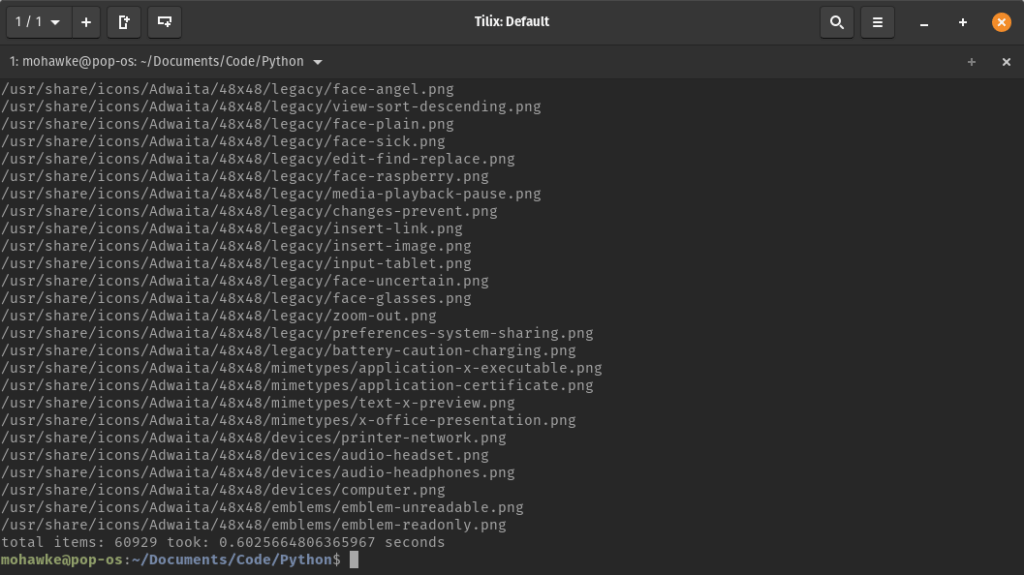
Here’s the code.
from concurrent.futures import ThreadPoolExecutor
import os
import time

def get_icons():
    filter = ['.png','.svg']
    base_path = '/usr/share/icons'
    for (dirpath, dirnames, filenames) in os.walk(base_path):
        if not filenames: continue # If not files found just skip path.
        # Filter by extension.
        for img in filenames:
            if os.path.splitext(img)[-1].strip().lower() not in filter:
                continue
            img_path = os.path.join(dirpath, img)
            yield img_path

if __name__ in '__main__':
    start = time.time()
    with ThreadPoolExecutor(max_workers=25) as executor:
        task = executor.submit(get_icons)
        count=0
        for img in task.result():
            count += 1
            print(img)

    print('total items: {0} took: {1} seconds'.format(count, time.time() - start))
Of course in Gtk you have added overhead but by limiting what I return it ran reasonably well. I might add a second list box to separate each theme, size, and type to reduce the overhead even more so we only load those small lists of icons on click. For this I just want ed to see if it would work as I have only used the thread library for Gtk in the past. Here’s the result.
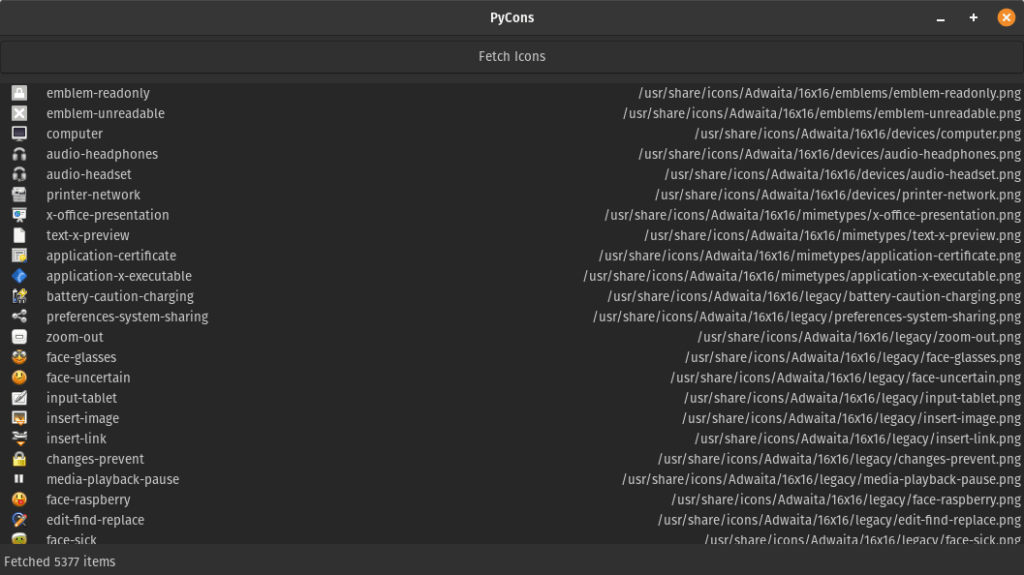
I filter on 16px icons only. It’s still 5k worth of images. Here’s the code.
import gi
gi.require_version('Gtk', '3.0')
from gi.repository import Gtk,GObject,GdkPixbuf
from concurrent.futures import ThreadPoolExecutor
import os

def get_icons():
    filter = ['.png']#,'.svg']
    base_path = '/usr/share/icons'
    for (dirpath, dirnames, filenames) in os.walk(base_path):
        if not filenames: continue # If not files found just skip path.
        if '16x16' not in dirpath.lower():
            continue # limit amount as there are too many to load up.
        # Filter by extension.
        for img in filenames:
            if os.path.splitext(img)[-1].strip().lower() not in filter:
                continue
            img_path = os.path.join(dirpath, img)
            yield img_path

class MyWindow(Gtk.Window):

    def __init__(self):
        Gtk.Window.__init__(self, title="PyCons")
        self.set_title("PyCons")
        self.set_default_size(800, 450)

        self.button = Gtk.Button(label="Fetch Icons")
        self.button.connect("clicked",self.fetch)

        self.status = Gtk.Label()
        self.status.set_text(' Idle')
        self.status.set_halign(Gtk.Align.START)

        self.vbox = Gtk.VBox()

        self.scroller = Gtk.ScrolledWindow()
        self.listbox = Gtk.ListBox()
        self.imgIcon = Gtk.Image()

        self.scroller.add(self.listbox)

        self.vbox.pack_start(self.button,False,False,5)
        self.vbox.pack_start(self.scroller,True,True,5)
        self.vbox.pack_end(self.status,False,False,5)

        self.add(self.vbox)

    def fetch(self,button):
        count=0
        with ThreadPoolExecutor(max_workers=25) as executor:
            task = executor.submit(get_icons)
            for img_path in task.result():
                count+=1

                pixbuf = pixbuf = GdkPixbuf.Pixbuf.new_from_file_at_size(img_path,16,16)
                icon = self.imgIcon.new_from_pixbuf(pixbuf)

                name = Gtk.Label()
                name.set_text(img_path.split('/')[-1].split('.')[0].strip())

                path = Gtk.Label()
                path.set_text(img_path)

                row = Gtk.ListBoxRow()
                hbox = Gtk.HBox()
                hbox.pack_start(icon,False,False,10)
                hbox.pack_start(name,False,True,10)
                hbox.pack_end(path,False,True,1)

                row.add(hbox)
                self.listbox.insert(row,0)
                self.listbox.show_all()
        self.status.set_text(' Fetched %s items' % count)

win = MyWindow()
win.connect("destroy", Gtk.main_quit)
win.show_all()
Gtk.main()
So there you have it. Two ways to list the theme and system icons and images on your Ubuntu/Debian based system. If you need to do something heavy in a Gtk application this might be a easy solution for you.
