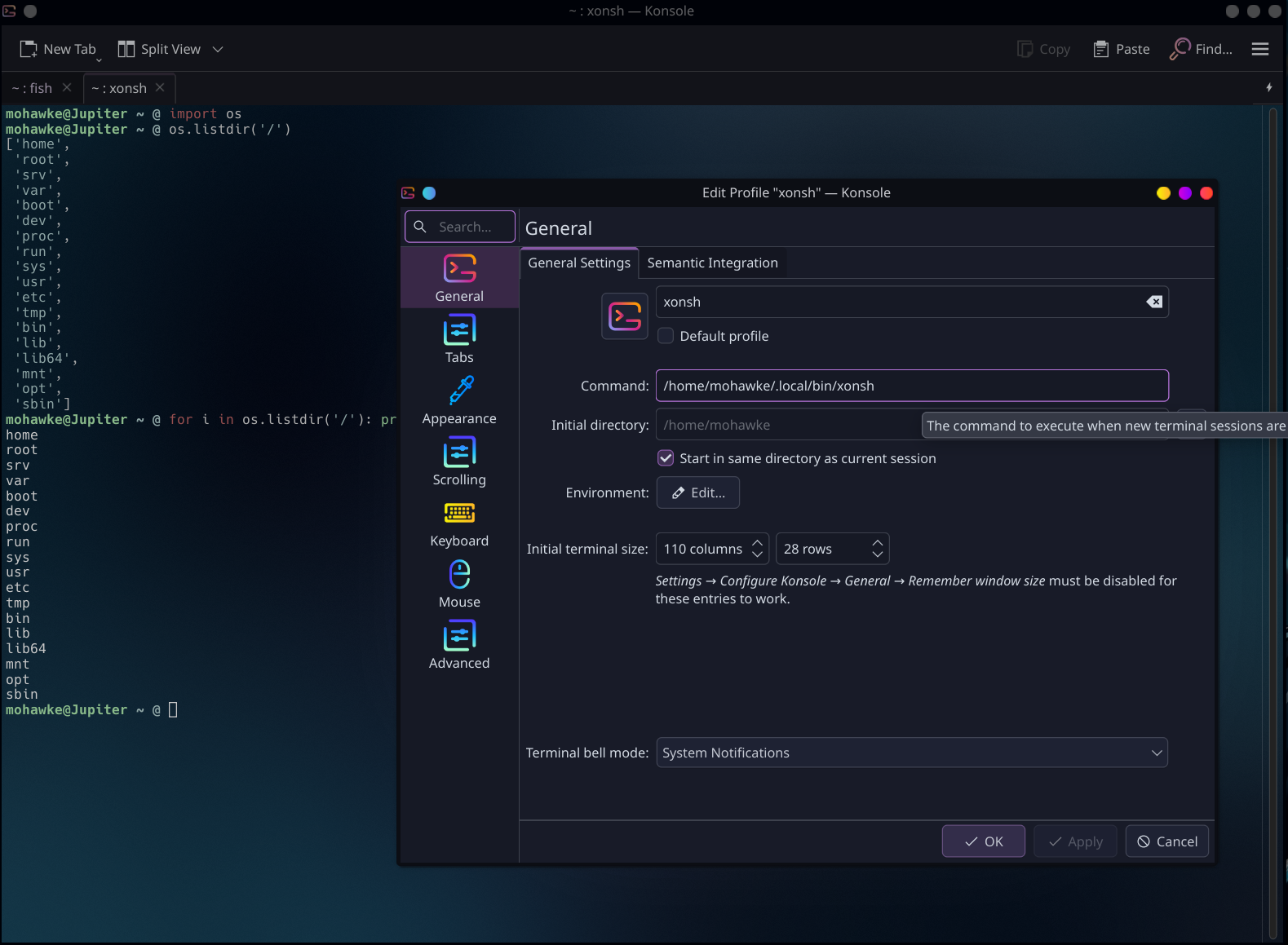
xonsh is a shell like Fish or Bash that gives you the ability to execute Python directly in the shell. You can install xonsh with pipx or just create a virtual environment yourself and pip install everything you need. This covers everything I need though, unless you wish to use Starship for your prompt setup.
If you prefer uv, you can install with the following command:
uv tool install xonshInstall pipx
Install pipx if you do not have it on your system. Pipx installs Python applications in virtual environments.
Install xonsh
You only need three commands to install and configure the shell.
Open your terminal and run: pipx install xonsh
Once done run: xpip install -U ‘xonsh[full]’
Configure theme, prompt, etc.
Run: xonfig web
That’s it.
Terminal setup
My way of using xonsh is to create a profile in my terminal keeping Fish as my default.
Run: which xonsh # to get the full path to the binary.
If your terminal supports profiles, create a new profile and add the path above to use xonsh along side your current shell or make it default and use your current shell as secondary. Most terminal profile configs are similar. Here is mine…