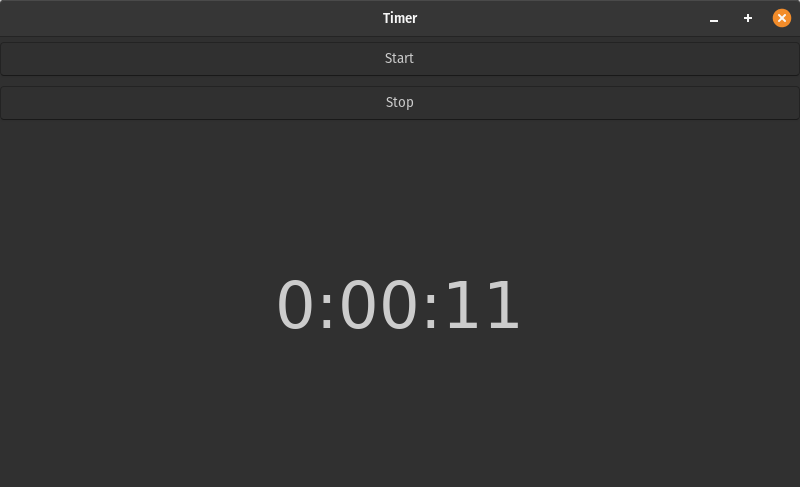
A quick and dirty timer example. If you need to execute after a period of time use Thread.Timer(). This example uses simple thread and event to start and stop a clock in a Gtk 3 window counting up time in a label.
import gi
gi.require_version('Gtk', '3.0')
from gi.repository import Gtk,Pango,GObject
import threading
import datetime
import time

class MyWindow(Gtk.Window):

    def __init__(self):
        self.timer = None
        self.event = None
        self.clock = '00:00:00'

        Gtk.Window.__init__(self, title="Timer")
        self.set_default_size(800, 450)

        self.button_start = Gtk.Button(label="Start")
        self.button_start.connect("clicked",self.start_timer)

        self.button_stop = Gtk.Button(label="Stop")
        self.button_stop.connect("clicked",self.stop_timer)

        self.status = Gtk.Label()
        self.status.set_text(self.clock)
        # override_font is deprecated but good enough for a preview.
        font = Pango.FontDescription("Tahoma 48")
        self.status.override_font(font)

        self.vbox = Gtk.VBox()

        self.vbox.pack_start(self.button_start,False,False,5)
        self.vbox.pack_start(self.button_stop,False,False,5)
        self.vbox.pack_end(self.status,True,True,5)

        self.add(self.vbox)

    def get_time(self):
        seconds = 0
        while not self.event.is_set():
            seconds += 1
            self.clock = str(datetime.timedelta(seconds = seconds))
            self.status.set_text(self.clock)
            time.sleep(1)

    def start_timer(self,button):
        print('start')
        self.timer = threading.Thread(target=self.get_time)
        self.event = threading.Event()
        self.timer.daemon=True
        self.timer.start()

    def stop_timer(self,button):
        print('stop')
        self.event.set()
        self.timer = None

win = MyWindow()
win.connect("destroy", Gtk.main_quit)
win.show_all()
Gtk.main()