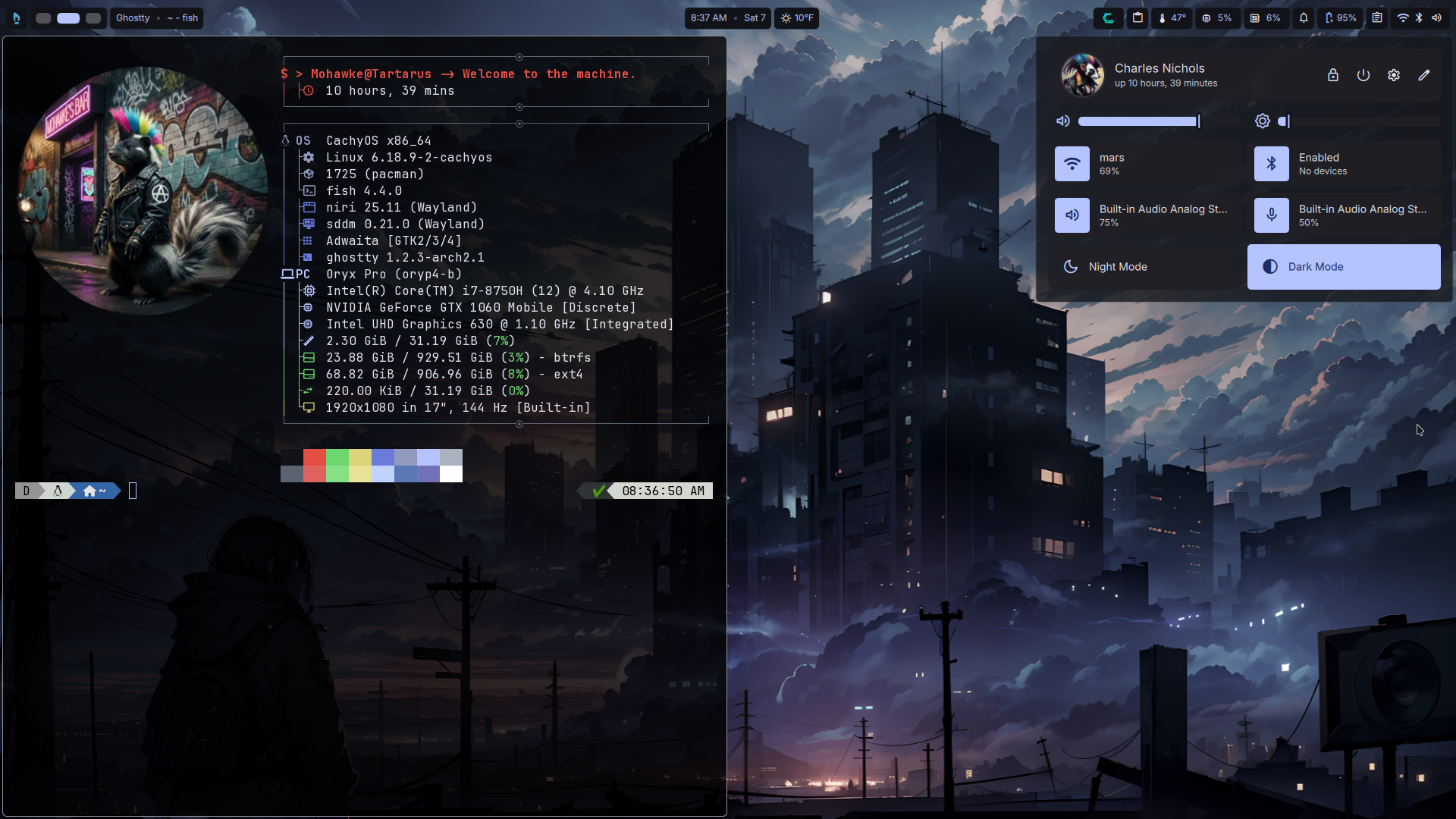
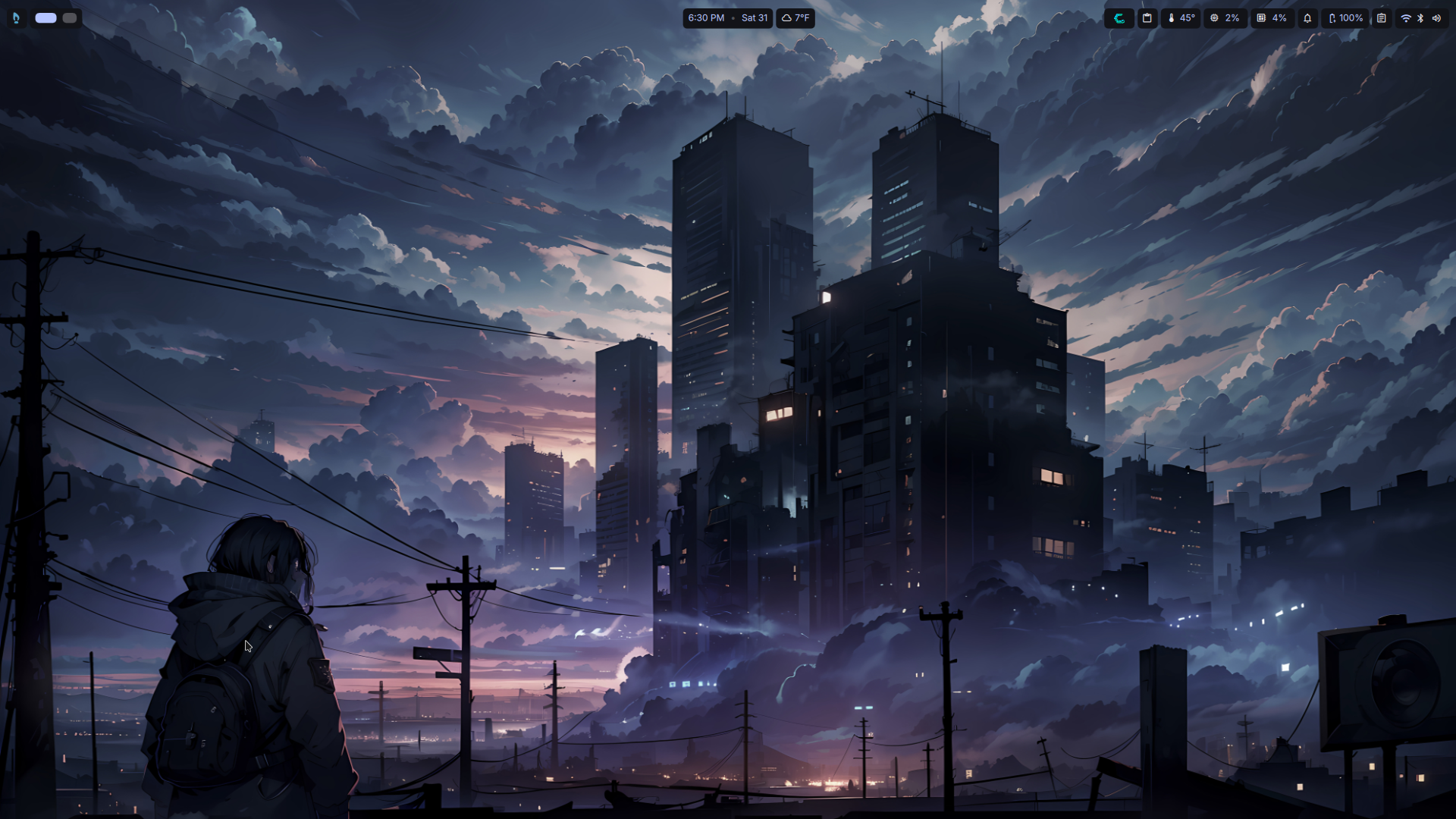
I recently installed CachyOS on my older laptop and decided to give Niri a go again. However, I was not a fan of the setup that CachyOS created. I also did not want to hand configure everything when I may not keep it. With that, I decided to install Niri on CachyOS with DankMaterialShell, because Dank does a lot of the heavy lifting. Yes, I am lazy…
Update Feb. 2026
I installed CachyOS on my new laptop and things went way smoother with Niri. I installed Niri with all options selected. I was pleasantly surprised that they have a really nice environment configured and themed with great settings like Dank. I still decided to install DankMaterialShell. I did not need to uninstall waybar, etc. The issues I had with the Cachy windows not going into darkmode was not present (qc5ct set my KDE theme perfectly) and I did not need to install darkman as a hack. The only config change I made was to theme sddm. Everything else was done through Dank’s settings screen.
What is Niri?
Niri is a scrollable-tiling Wayland compositor.
What is DankMaterialShell?
DankMaterialShell is a complete desktop shell. It can be setup on Hyperland, Niri, and other compositors. It basically gives you a theme-able desktop environment without having to install all the various components that make a functional desktop yourself.
Post-Install Issues (CachyOS related)
Since I installed all the optional Niri components during the CachyOS install, like waybar, etc. I had to remove them. Dank had a few issues because of that. Mostly the problems arise with the Cachy Niri settings centered around theming and some minor configurations. After removing those I had a fairly clean Niri environment.
I did have an issue with some windows not honoring dark mode, mostly the CachyOS tools apps and Software Center. The fix for some of those programs was to install darkman and use it to set dark mode, nothing else worked. Yeah, a hack. The rest of the theming and configuration I completed within the Dank settings panel and worked flawlessly. I think a clean install of Niri without installing all the optional software and configs offered by CachyOS would get rid of this issue. I am still having the WiFi icon issue, but no big deal there.
Note: Not only can you select a desktop to install, you can also choose various elements for the WM from the CachyOS installer. I just happened to select everything when I installed Niri.
Setting Up
After that tiny bit of clean up, all I have to say is wow! What a great experience. Runs great, looks awesome, and the desktop is fluid. Beyond adding my wallpaper, a bit of theming of the top bar, and some configurations you’d do in any desktop, I really didn’t have to do much.
In DankMaterialShell I kept the default key-binds as they are sane. However, I have added my own to make quick work of opening apps I use often. The only other thing I may do is add a nicer icon set. As far as plugins and widgets, I have not added any since my usual additions are weather and system monitoring, which are included by default.
Note: You can view and install plugins from Niri’s settings. They reside on the internet so they are not taking up space.
Issues?
With all the good there has to be some bad, right? Well, not so much bad.
The lack of calendar event integration beyond Khal into the drop down calendar is something I would like to see. Addition of astrological and holiday events, like KDE, would be cool. Currently you need to sync with Khal in order to get events in the calendar. From what I read it looks like Dank will create there own solution at some point.
What I may do since I use Thunderbird and have my Google calendar setup there is to pull the events from the Thunderbird database and create the events in Khal though scripting. Seems redundant to put another calendar sync on the system when Thunderbird already does this for me.
If you use Thunderbird and want to add your events to Khal so they show in the drop-down calendar, go here.
You can also manually add events via Khal, which will show in the drop down calendar.
This command will add president’s day:
khal new 02/16/2026 "President's Day"Minor Issues
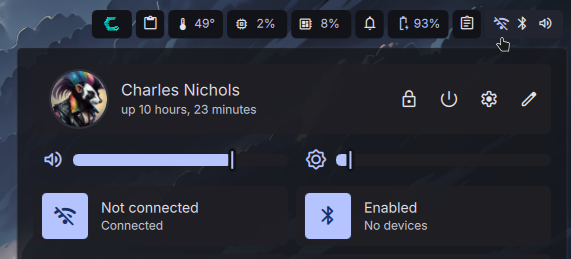
One issue I have noticed is that the WiFi icon will show as not connected when it is in fact connected. This can happen when the machine sleeps or updates.
The only other thing would be with the slide out notes. The note tab will lose the delete button. If you delete the file from the directory, the note sticks around until you logout, which will then recreate the file when you log on. The only way to get the button back is to create a new note. It is still nice to have for quickly writing things down, but I will likely not save any files using it since I use another note program anyway.
Note: DankMaterialShell pulls colors from the wallpaper.
Conclusion
Omarchy was really nice, Hyperland was fun to configure and rice, but Niri + DankMaterialShell is near perfection. The difference between Niri and Omarchy? Niri isn’t deciding on
software or configs outside of the desktop. Anyway…
In my opinion, if you want a solid tiling window manager with a desktop that is beautiful, easy to configure, that also includes great default features, look no further than Niri with DankMaterialShell.
Note: You can also find other shells with similar features, I have not tried them.
Screenshots