Need to make a decision, like to bet, maybe you just like silly apps? Whatever the reason you’re reading this I hope it helps someone to learn some simple GUI tricks in PowerShell. I didn’t spend a lot of time on this. I already wrote one in C# years ago and had some downtime so why not code it in PowerShell?
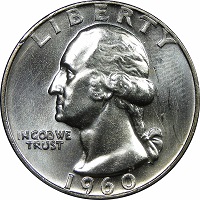
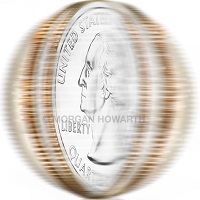
Download the three images or make your own. They are 200×200 pixels. They are at the bottom of the post. Save the code and change the paths or make it better.
<#
Flipper in Powershell from the original C# flipper by C. Nichols.
Click to flip the stupid coin...
$basePath would be better as a global or passed as arg. I'm lazy...
Be sure to chage both paths at line 14 and 47 if you're lazy like me.
#>
Add-Type -AssemblyName System.Windows.Forms
[System.Windows.Forms.Application]::EnableVisualStyles()

Function flippin_Click {

    BEGIN
    {
        $basePath = "c:\flipper\res"
        $PictureBox1.Image = [System.Drawing.Image]::FromFile("$basePath\spin.jpg")
        $Label1.text = "You spin me right round, baby"
    }

    PROCESS
    {
        $choices = @("heads.jpg"; "tails.jpg")
        $result = Get-Random $choices
        Start-Sleep -Seconds 1
    }

    END
    {
        if ($result.Contains("heads") -eq $true) {
            $PictureBox1.Image = [System.Drawing.Image]::FromFile("$basePath\$result")
            $Label1.text = "Heads, man!"
        } elseif ($result.Contains("tails") -eq $true) {
            $PictureBox1.Image = [System.Drawing.Image]::FromFile("$basePath\$result")
            $Label1.text = "Tails, man!"
        }
    }
}

$Form                            = New-Object system.Windows.Forms.Form
$Form.ClientSize                 = '210,230'
$Form.text                       = "PS-Flipper"
$Form.TopMost                    = $false

$PictureBox1                     = New-Object system.Windows.Forms.PictureBox
$PictureBox1.width               = 200
$PictureBox1.height              = 200
$PictureBox1.location            = New-Object System.Drawing.Point(4,4)
$PictureBox1.imageLocation       = "c:\flipper\res\heads.jpg"
$PictureBox1.SizeMode            = [System.Windows.Forms.PictureBoxSizeMode]::zoom
$PictureBox1.add_click({ flippin_Click })

$Label1                          = New-Object system.Windows.Forms.Label
$Label1.text                     = "Click to flip."
$Label1.AutoSize                 = $true
$Label1.width                    = 180
$Label1.height                   = 10
$Label1.location                 = New-Object System.Drawing.Point(11,208)
$Label1.Font                     = 'Microsoft Sans Serif,10'

$Form.controls.AddRange(@($PictureBox1,$Label1))
$Form.ShowDialog()