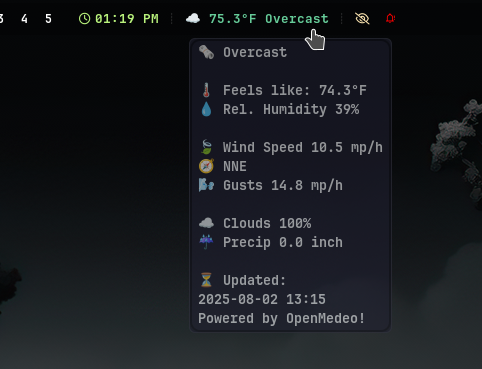
I installed Manjaro Sway to check it out and noticed the temperature returned by the included Manjaro Sway weather script was wrong or not updating to the current temp. It seems Manjaro has their own API generated from Open Medeo data. I decided to write my own and go straight to the source.
Weather was disabled for me after installing Manjaro. I uncommented the reference to weather in: ~/.config/waybar/config.jsonc
Below that you will see the actual custom/weather path that points to the script. You need to change that to where ever you save this script. My suggestion is ~/.config/sway/scripts
Mine looks like this with weather uncommented:
"modules-center": [
    //"custom/wf-recorder",
    "sway/mode",
    "custom/weather"
],
Setup
Config File: important!
Copy the config contents below (also in zip file), change to your location and prefs, and save as ~/.config/sway/weather.cfg unless you live in Columbus, Ohio.
I am currently using this in Hyperland on Arch along with Biyori. To use this in Hyperland you only need to change the path from ~/.config/sway/waybar to ~/.config/hypr/waybar, assuming you are using waybar. I set right click to open Biyori with Alacritty in hypr/config:
“on-click”: “alacritty -T ‘Biyori’ -e ~/biyori.sh”,
[DEFAULT]
# lat, long, and timezone make weather more accurate.
# Alternatives:
#  celsius, millimeter, kmh
latitude = 40.036282
longitude = -83.000762
temp_unit = fahrenheit
precip_unit = inch
wind_speed = mph
timezone = America/New York
Python Script
Download the the weather script, unzip, and save weather.py to:
~/.config/sway/scripts/weather.py
or ~/.config/hypr/scripts or UserScripts (what ever the case may be).
Create the scripts folder if it does not exist
Be sure to grab the conf also. Copy that to ~/.config/sway
Since this code contains emoji and odd font characters, I cannot post in the code editor. It no like it. If you find missing or non-colorful icons make sure you have Noto and font-awesome on your system.
Enjoy!
