If you really love the terminal and can’t get enough here is a list of programs that should make you smile. Linux comes packed with so many command line tools already; you can do just about anything without the GUI, but what if you want more? Maybe some of these programs are for you.
Many programs in this list can be installed with your package manager, like apt or yum. Always worth a shot attempting to install from the package manager first.
First and foremost, get a good terminal emulator. I use Tilix Tabby as it’s solid and you can have multiple panes. I like it. Should be available already in your package manager but if not: https://gnunn1.github.io/tilix-web/
Awesome terminals:
Ghostty
Kitty
Alacrity
On to the programs! Sorry, these aren’t broken down into better categories or fancy, but I am lazy… Also, there is a mix of cli and tui in these lists.
Coolest
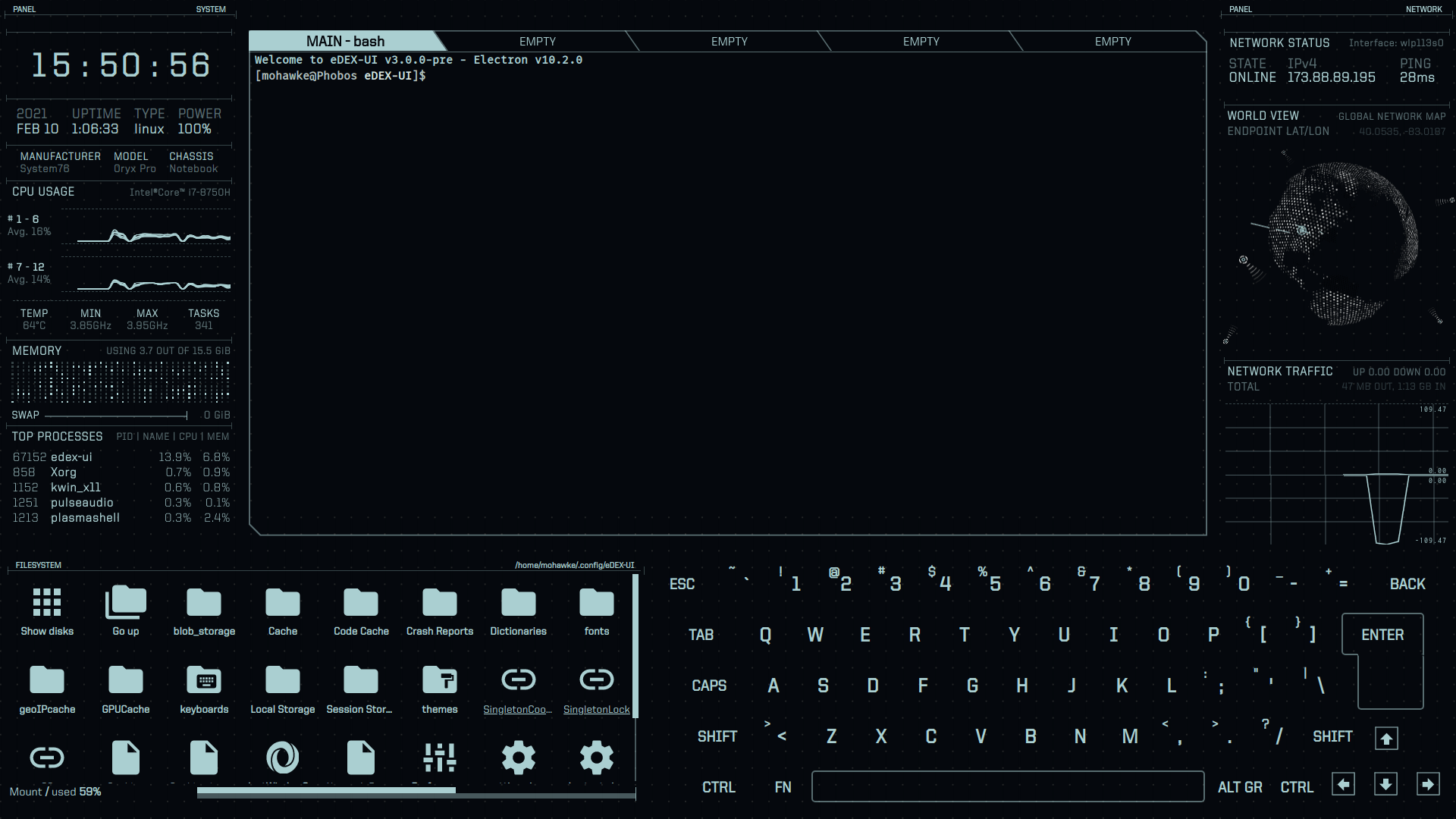
eDex-UI – System dashboard and interface: https://github.com/GitSquared/edex-ui deprecated
Second coolest!
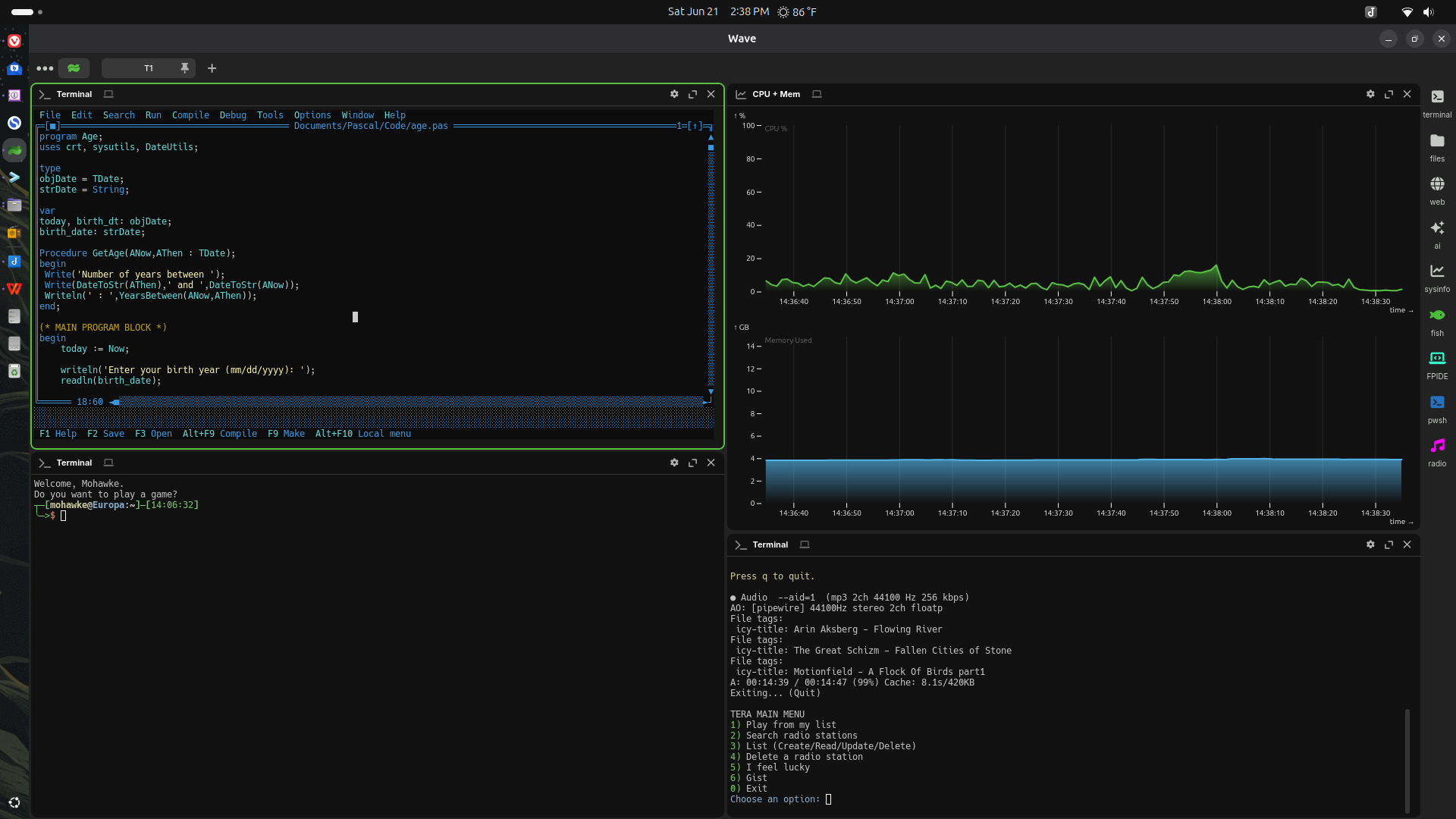
Wave – Really nice terminal with cool widgets feature.
My personal favorite terminal apps and tools.
Aerc. Aerc is a email client that I use with GMail and another account. It’s stright forward and looks nice. I was using NeoMutt but honestly, overkill for simple mail tasks. I use neovim to write my emails, however, you can use pretty much any text editor, like Micro or Helix.
Calcurse. Calcurse is a calendar and task application. It is simple and does the job. I use it with my Google calendar and it works great. I have looked at others, I see no reason to switch.
Pass. Really nice password manager.
Kew. Kew is a music player. Dirt simple! I was using rmpc, which requires mpd. It worked great. I simply do not need mpd so I went with Kew. It matches the color scheme of the currently playing cover, has playlists, and is fast.
epy. Kew is an ebook reader written in Python. I don’t read a lot on my computer as that is reserved for paper of tablet but for the occasional programming book, it works great. I set up the next program to open epubs.
Newsboat. RSS/ATOM news feed reader.
castero. Castero is a podcast client.
Yazi. Yazi is a super fast file manager. Let’s you preview files and browse your files quickly.
TUI-Journal. Tui-Journal is exactly that. Good for notes, which is what I use it for. Very straight forward. It cannot replace Joplin, but for quick local notes it’s great.
Harlequin. Harelquin is a database management utility. I can connect to just about everything, create tables, write sql. What more do you need?
Caligula. Caligula is a disk burning utility. It’s faster than the GUI burners and has never failed me. You can replace dd with it.
Dua-cli. Dua lets you review disk usage and clean things up.
Btop. Btop is a system monitoring utility. It is a thing of beauty, and you can even manage processes.
Wormhole. Transfer files between your local computers securily.
Pacseek. Pacseek is a software management utility and installer. It works with pacman and AUR for Arch distributions. I don’t use it much, but sometimes you need to search for things you want to install.
Durdraw. Durdraw is an ascii/ansi art and animation creation tool. I don’t use it much but it has come in handy on occasion. It’s cool no matter what.
Micro. Micro is a text editor that leans more towards programming. I do use NeoVim a lot more but micro has replaced nano for me for quick things. I also like Helix and MLE, which have more of a vim feel. They are all excellent.
Not necessarily TUI apps, but very useful tools that I use.
Bin. Bin is a binary manager and installer for GitHub binary releases. There are plenty more to choose from.
fzf. Fuzzy finder.
zoxide. Smart replacement for the cd command.
eza. ls replacement with nice features and color.
fd. Modern and superior replacement for the find command.
ripgrep. Replacement for grep.
bat. Replacement for the cat command. Syntax highlight anything.
yank. Copy text out of the terminal.
fastfetch. Get system details in the terminal. Replaces neofetch.
Misc.
PVUI – Manage Python virtual environments: https://github.com/Pinperepette/PVUI
WeGo – Weather Forecasts: https://github.com/schachmat/wego
wttr.in – Weather: https://github.com/chubin/wttr.in
MapSCII – World map/Open Map: https://github.com/rastapasta/mapscii
astroterm – Terminal-based star map: https://github.com/da-luce/astroterm
feh – Image Viewer: https://feh.finalrewind.org/
WTF – Personal information dashboard: https://wtfutil.com/
The Fuck – Correct terminal commands: https://github.com/nvbn/thefuck
epy – EBook reader: https://github.com/wustho/epy
GFPGAN – Image reconstruction (Python): https://github.com/TencentARC/GFPGAN
rembg – Image background removal (Python): https://github.com/danielgatis/rembg
fx – Json viewer: https://github.com/antonmedv/fx
howdoi – Ask code questions: https://github.com/gleitz/howdoi
fastfetch – Fetch system info: https://github.com/fastfetch-cli/fastfetch
TimeTrace – Track your working time: https://github.com/dominikbraun/timetrace
Vault – Encrypted folder: https://github.com/canonical/snap-vault
FireJail – Sandboxes potentially insecure programs: https://github.com/netblue30/firejail
pastel – Generate, analyze, convert and manipulate colors: https://github.com/sharkdp/pastel
toutui-bin – Audio books: https://github.com/AlbanDAVID/Toutui
Office
sc-im – Spreadsheet: https://github.com/andmarti1424/sc-im
gcalcli – Google Calender: https://github.com/insanum/gcalcli
Khal – Calendar: https://github.com/pimutils/khal?tab=readme-ov-file
Task Warrior – Task Manager: https://taskwarrior.org/
Ledger – Double-entry accounting system: https://www.ledger-cli.org
tnote – Notes, of course: https://github.com/tasdikrahman/tnote
Watson – Time tracker: http://tailordev.github.io/Watson/
Arbitt – Time Tracking: http://arbtt.nomeata.de/
Gramma – Grammer checker: https://caderek.github.io/gramma/
proseLint – Grammer checker: http://proselint.com
Bagels – Track Expenses: https://github.com/EnhancedJax/Bagels
Music
ncmpcpp – Music Manager/Player: https://rybczak.net/ncmpcpp/
cmus – Music Player: https://cmus.github.io/
RMPC – Music Player: https://github.com/mierak/rmpc
PyRadio – Music player for the terminal: https://github.com/coderholic/pyradio
Textbeat – Music sequencer and interactive shell: https://github.com/flipcoder/textbeat
ecasound – Record audio: http://www.eca.cx/ecasound/
meterec – Multi-track monitoring and recording tool: http://meterec.sourceforge.net
mloop – Audio looper: http://fuzzle.org/~petern/mloop.html
Sox – Audio conversion, rec/play, and effects: http://sox.sourceforge.net
CuSE – MIDI-Sequencer: http://pi4.informatik.uni-mannheim.de/~haensel/cuse/index_en.html
ttrk – Tracker style DAW: http://vektor.ca/audio/ttrk/
*Also see bttrk: https://sourceforge.net/projects/bttrk/
radio-active – Internet radio: https://github.com/deep5050/radio-active
Tera – Internet radio: https://github.com/shinokada/tera
yewtube – YouTube Radio: https://github.com/mps-youtube/yewtube
Communicate
Alpine – Mail Client: https://www.washington.edu/alpine/
NeoMutt – Mail client: https://neomutt.org (also see mutt wizard)
Finch – Chat Client: http://developer.pidgin.im/
WeeChat – IRC: https://weechat.org/
Messer – Facebook Chat: https://github.com/mjkaufer/Messer
Charm – Blog Client: http://ljcharm.sourceforge.net/
Poezio – XMPP Chat client: https://poez.io/en/
Rainbow stream – Twitter client: https://github.com/orakaro/rainbowstream
Toot – Mastodon client: https://github.com/ihabunek/toot
Tuisky – Bluesky in the terminal: https://github.com/sugyan/tuisky
Writing
Fresh – TUI IDE written in Rust: https://sinelaw.github.io/fresh/
Nano – Text Editor: https://www.nano-editor.org/ (Usually installed)
Vim – Programmer’s Text Editor: https://www.vim.org/ (Usually installed)
Micro – Programmer’s Text Editor: https://micro-editor.github.io/
mle – Programmer’s Text Editor: https://github.com/adsr/mle
Jed – Programmer’s Text Editor: http://www.jedsoft.org/jed/index.html
WordGrinder – Get out of your way word writer: http://cowlark.com/wordgrinder/index.html
jrnl – Diary: https://jrnl.sh/en/stable/
Rich-CLI – RichText fancy output in the terminal: https://github.com/textualize/rich-cli
System Tools
bashtop – System monitor: https://github.com/aristocratos/bashtop
Glances – Dashboard system monitor: https://nicolargo.github.io/glances/
Midnight Commander – File Manager: https://midnight-commander.org/
iftop – Network bandwith Monitor: http://www.ex-parrot.com/pdw/iftop/
htop – Process Viewer: http://hisham.hm/htop/
ncdu – Disk Usage Viewer: https://dev.yorhel.nl/ncdu
zsh – Terminal Clock: good example here
IPTraf – IP Network Monitoring: http://iptraf.seul.org/
vnStat – Network traffic monitor: https://www.humdi.net/vnstat/
Passpie – Password manager: https://passpie.readthedocs.io/en/latest/
TestDisk – Disk Recovery: https://www.cgsecurity.org/wiki/TestDisk
PhotoRec – File Recovery: https://www.cgsecurity.org/wiki/PhotoRec
Goaccess – Web log analyzer: https://goaccess.io/
duf – Disk usage: https://github.com/muesli/duf
dust – Disk usage: https://github.com/bootandy/dust
croc – Secure file transfer between computers: https://schollz.com/tinker/croc6/
wormhole – Local secure file transfers: https://wormhole.app/
ventoy – Create bootable USB drives: https://www.ventoy.net/en/index.html
Superfile – File manager: https://github.com/yorukot/superfile/blob/main/README.md
Web
HTTPie – Interact with APIs: https://httpie.io
ffsend – File Sharing: https://github.com/timvisee/ffsend
rTorrent – Torrent: https://rakshasa.github.io/rtorrent/
Canto – News Reader: https://github.com/themoken/canto-curses
w3m – Web Browser: http://w3m.sourceforge.net/
elinks – Web Browser: http://elinks.or.cz/
lynx – Web Browser: https://lynx.browser.org/
LFTP – FTP, obviously: https://lftp.yar.ru
ddgr – Search with Duck Duck Go: https://github.com/jarun/ddgr
youtube-tui – YouTube: https://github.com/Siriusmart/youtube-tui
Games
steam-tui – Steam: https://github.com/dmadisetti/steam-tui/releases
Nudoku – Sudoku: http://jubalh.github.io/nudoku/
MyMan – PacMan: https://myman.sourceforge.io
nInvaders – Space Invaders: http://ninvaders.sourceforge.net
Nethack – Dungeon Crawler: http://www.nethack.org/
Tetris: http://fph.altervista.org/prog/bastet.html
Brogue (Community Edition) – Dungeon Crawler.
Dungeon Crawl – Dungeon Crawler.
Angband – Dungeon Crawler.
A few games here: https://www.alessandropira.org/alienwave/aw.html
A couple more here: https://inconsolation.wordpress.com/2013/09/18/cgames-three-in-one-fun/
I was mostly focused on things I know or use. I don’t game in the terminal. If you do https://itsfoss.com/best-command-line-games-linux/
Last but not least, Turbo Vision re-envisioned. If someone ported or rewrote PFS First Choice you’d have a whole Office Suite. There’s always FreeDOS!
